
Pros and Cons of E-mail: Electronic Mail Benefits & Drawbacks
Many of us are familiar with electronic mail or email. Simply put, email is a way to send and receive messages using the internet. It’s fast, easy to use, and has become an important part of our daily lives.
But while email is great for communication, it also has some downsides. For example, promotional emails, spam, and emails with viruses can sometimes cause problems. These are some of the challenges that come with using email.
In this guide, we’ll explore the advantages and disadvantages of email. By understanding both sides, you’ll learn how to use this powerful tool wisely and safely.
Let’s get started!
Advantages of E-mail
Get ready to explore the bright side of our blog post, it's all about the incredible pros of using email!
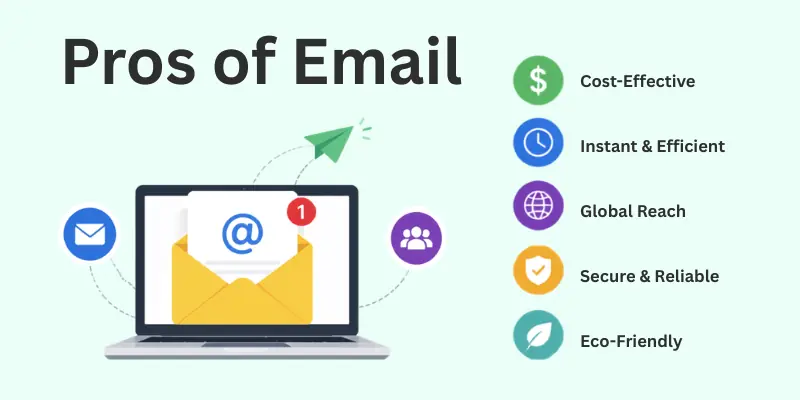
Check out the list we've put together below:
- Fast Communication
- Low Cost
- Global Reach
- Saves Paper
- Easily Accessible
- Attachments
- Record Keeping
- Professional Communication
- Group Messaging
- Time Management
Let’s delve into each benefit of electronic mail with thorough detail.
1. Fast Communication
Email is one of the quickest ways to share messages. Whether it’s a personal update or a work-related task, we use email to send information instantly. It’s amazing how it connects people worldwide in just seconds.
- Emails are delivered in real time, saving you precious time.
- Perfect for urgent updates or reminders.
- Reduces waiting time compared to traditional mail.
2. Low Cost
Email is an inexpensive way to stay connected. Unlike phone calls or traditional mail, it doesn’t cost extra to send multiple messages. We often use it for work, knowing we can share updates without worrying about expenses.
- No additional fees for long-distance communication.
- Allows unlimited messages at no extra charge.
- Works well for businesses managing tight budgets.
3. Global Reach
Email connects you to people across the world instantly. You’ve used it to collaborate with friends and colleagues in different countries without any delays. It’s amazing how email eliminates distance barriers.
- Reach anyone, anywhere, at any time.
- No additional costs for international communication.
- Perfect for global businesses and remote teams.
4. Saves Paper
Email is an eco-friendly way to communicate. Instead of printing letters or memos, we send emails to reduce paper waste. It feels good to do our part in protecting the environment while staying connected.
- No need for printed letters or documents.
- Reduces deforestation caused by paper production.
- Helps create a more sustainable work environment.
5. Easily Accessible
Emails are simple to access from almost any device. Whether you are at home, at work, or traveling, you can check my messages with just a few clicks. It’s a convenience we rely on every day.
- Accessible on computers, tablets, and smartphones.
- Works from anywhere with an internet connection.
- Makes staying updated effortless and flexible.
6. Attachments
Email makes it easy to share files and documents as attachments. We often use this feature to send reports, photos, or presentations quickly and securely. It’s a practical tool for work and personal needs.
- Share files like PDFs, images, and spreadsheets instantly.
- Saves time compared to mailing physical copies.
- Allows secure transfer of important documents.
7. Record Keeping
Email makes it easy to keep a record of all communications. You often go back to check previous emails for important details or references. It’s like having an organized archive at your fingertips.
- Keeps all messages stored digitally for future reference.
- Easy to search for specific emails with keywords.
- Helps track conversations and decisions over time.

8. Professional Communication
Email is one of the most professional ways to communicate, especially in the workplace. We use it to send formal messages, important documents, and updates to our colleagues and clients. It helps maintain a clear and respectful tone.
- Ideal for formal correspondence and business updates.
- Provides a written record of professional conversations.
- Helps establish a professional image in communication.
9. Group Messaging
Email allows us to send messages to multiple people at once, which is perfect for group communication. Whether for work teams or family updates, it can keep everyone in the loop quickly and easily.
- Send messages to large groups with one click.
- Keeps everyone informed in a single conversation.
- Saves time compared to individually contacting each person.
10. Time Management
Email is a great tool for managing my time, especially when I need to keep track of multiple conversations. I can read and respond to emails on my own time, which helps me stay focused on other tasks.
- Saves time by eliminating unnecessary phone calls or meetings.
- Keeps you on top of deadlines and important messages.
- Allows you to manage communication around your schedule.

Disadvantages of E-mail
Here come the drawbacks of using electronic mail that are hopefully observed by all of us.
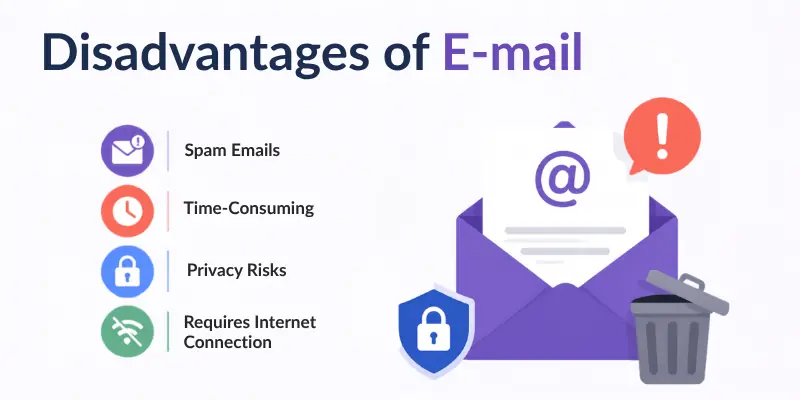
A comprehensive list highlighting the various cons of email is here:
- Internet Dependence
- Overload
- Spam and Junk Mail
- Security Risks
- Miscommunication
- Limited File Size
- Requires Technical Skills
- Lacks Immediate Feedback
- Viruses and Malware
- Not Personal
Let’s cover all in detail.
1. Internet Dependence
The need for the internet can be a downside of using email. I’ve experienced moments where I couldn’t send or read emails because of a weak connection, which delays communication.
- Requires constant access to the internet.
- Disrupts communication during internet disruptions.
- Limits email access in low-connectivity environments.
2. Overload
Email overload is a common issue. On some days, our inboxes are flooded with so many messages that it takes time to find the ones that matter most.
- Managing a large volume of emails is time-consuming.
- Non-essential emails can take up space and attention.
- Leads to missed messages and delayed responses.
3. Spam and Junk Mail
Spam and junk mail can be major nuisances in email. We often receive messages from unknown senders trying to sell products or services, which take up valuable space in our inboxes.
- Takes time to unsubscribe or delete junk emails.
- Often includes deceptive or misleading offers.
- Reduces the overall productivity of email usage.
4. Security Risks
Security is a major concern with email. Malicious links or attachments can sometimes compromise the safety of personal information, and I’ve always had to be cautious when opening unknown emails.
- Hackers can steal login details or personal information.
- Phishing emails can deceive users into sharing confidential data.
- It can be a target for malware and viruses.
5. Miscommunication
Miscommunication is a common problem with email. Personally, I’ve experienced situations where people misinterpreted my intentions or tone because emails don’t show facial expressions or gestures.
- Difficult to convey tone and emotion in written form.
- Can lead to confusion or misinterpretation of intentions.
- No immediate clarification, so messages can be misunderstood.
6. Limited File Size
One issue with email is the limited file size for attachments. We often had to split documents or find other ways to send larger files because email can't always handle big attachments.
- Files above a certain size won’t be sent through email.
- May need to compress or split files, causing extra work.
- Can’t always send high-quality images or large documents directly.
7. Requires Technical Skills
For some, email requires more technical knowledge than expected. I’ve noticed that older adults or people not familiar with technology find it difficult to navigate email platforms and use certain features.
- Requires understanding of email setup and management.
- New users may struggle with features like attachments or folder organization.
- Not everyone is comfortable with spam filters or email security settings.
8. Lacks Immediate Feedback
Since email doesn’t offer instant replies, it can sometimes be frustrating. From my perspective, I’ve often found myself waiting for hours or longer to get a reply, which is much slower compared to real-time conversations.
- Lack of immediate conversation flow.
- Responses may take longer, especially in busy work settings.
- Delays in receiving feedback can impact productivity or decision-making.
9. Viruses and Malware
Emails can be a source of viruses and malware. We had to be extra cautious opening attachments or clicking on links because they could contain harmful software that damages our computers or steals personal information.
- Harmful attachments can infect your device with viruses.
- Phishing links in emails can lead to malware or data theft.
- Risk of spreading viruses through infected email attachments.
10. Not Personal
Email isn’t as personal as speaking to someone directly. Many times, an email response feels less sincere than a phone call or face-to-face conversation, making it harder to build a connection.
- Limited in conveying emotional tone or urgency.
- Can make relationships feel less close or genuine.
- Misunderstandings can occur due to the lack of immediate feedback.
Conclusion
In this article, we have covered all the pros and cons of email (electronic mail) in great detail. We have looked at how this method of communication is very helpful for us, from its speed and low cost to its ability to share attachments and reach people globally.
At the same time, we’ve also discussed how email can sometimes become overwhelming with spam, miscommunication, and the risk of security threats. It’s clear that email plays an essential role in our lives, but like any tool, it comes with its own set of challenges.
As per my final thoughts, I believe email is an incredibly useful tool, but it requires careful management. You should set boundaries and organize your inboxes effectively. By doing so, we can enjoy the benefits of email without letting it become a source of stress or confusion in our daily lives.
FAQs
Here are the most common queries about the advantages and disadvantages of using email:
Email is fast and easy to use. It lets you send messages anywhere in seconds. You can also attach files like documents and pictures. Email helps you keep records of conversations.
Emails can fill your inbox quickly and become hard to manage. Hackers can send fake emails to steal your information. People may misunderstand messages without tone or facial expressions. Spam emails can also waste your time.
You can block unknown senders to reduce spam. Using spam filters helps keep unwanted emails away. Never share your email on public websites. Avoid opening emails from people you don’t know.
Email is safe if you use strong passwords. Hackers can steal information through fake emails. Never share personal details like passwords in emails. Encryption tools can make email more secure.
You can organize emails into folders for easy access. Deleting unwanted messages keeps your inbox clean. Checking emails only at certain times helps you focus. Unsubscribing from useless emails reduces clutter.
- ✔ Be Respectful
- ✔ Stay Relevant
- ✔ Stay Positive
- ✔ True Feedback
- ✔ Encourage Discussion
- ❌ Avoid Spamming
- ❌ No Fake News
- ❌ Don't Copy-Paste
- ❌ No Personal Attacks