
Social Networks and Platform Rules in 2026: Compliance-Friendly Proxy Setups
If you’ve worked with social platforms in the last few years, you already know how much stricter they’ve become.
Now the rules around automation, location signals, device fingerprints, and network behavior are tighter than ever. What used to pass without trouble now triggers instant checkpoints, soft bans, or full account locks.
In this guide, I'll show you what the major platforms actually look at today, how to choose the right proxy type, and how to build a workflow that stays compliant instead of constantly getting flagged.
Key Takeaways for 2026 Social Workflows
Social platforms are stricter than ever, constantly monitoring small signals to detect unusual activity. Here are the most important points to keep your accounts safe and compliant in 2026:
- Social platforms now check IP stability, device fingerprints, and behavior patterns constantly.
- Residential and ISP proxies remain the safest choice for long-term social workflows.
- Consistent device profiles and steady session history matter as much as the proxy itself.
- Sudden geo changes, data center IPs, and over-automation trigger quick checkpoints.
- Clean network structure (separate pools, controlled rotation) lowers account risk.
- Tools like anti-detect browsers, cookie storage, and light automation help keep accounts stable.
What Platforms Actually Police in 2026
Every major platform monitors the small signals that tell them if a user is “real” or not, and those checks run constantly in the background.
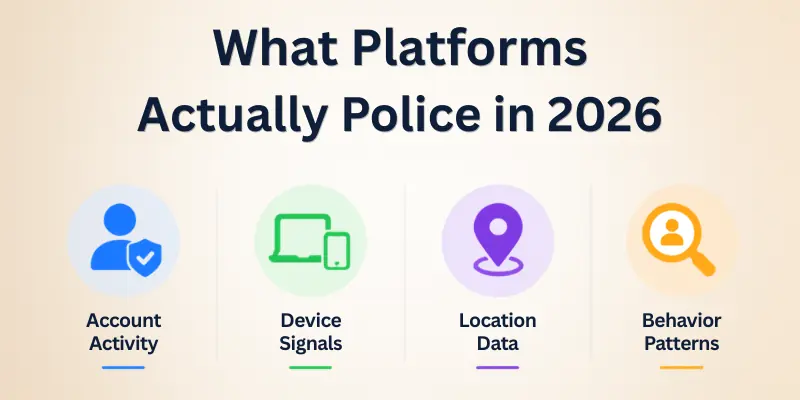
Here’s what they look like now:
- IP and location patterns - big jumps through regions or logins from datacenter IPs get flagged quickly.
- Device fingerprints - everything from screen size to hardware details needs to stay consistent or you’ll hit checkpoints.
- How you move inside the app - fast and repetitive actions get noticed right away.
- Cookies and session history - wiping your environment too often makes an account look unstable or stolen.
- Automation signals - tools that click too fast or send actions in a predictable rhythm stand out fast.
- Connected footprints - using the same environment for multiple accounts creates links you don’t want.
Choosing the Right Proxy Type for Social Workflows
The aim is to select something that would look like a real user online - consistent location, consistent device indicators, and clean IP reputation.
Residential proxies tend to work best due to their appearance of ordinary home users. ISP/static residential proxies are also excellent when you require the same IP during a long session, particularly on sites that do not favor rotating. Proxies of datacenters are suitable for working with lighter tasks, but are flagged in most social networks much faster, so you should be careful where to use them.
When you want to keep things in line and not use early checkpoints, then it is generally safer to lean toward residential or ISP.
And when you are comparing plans and attempting to buy proxies to work with long-term processes, ensure that the provider offers stable sessions, clean IP pools, and constant location targeting.
Device & Browser Hygiene
Many social accounts are flagged not due to the proxy being bad, but due to the messy device setup. Platforms consider your device fingerprint like a second password, and when it changes too frequently, they think that something is wrong.
There are a few things that can keep accounts safe:
- Use a single profile per account - using more than one account with the same fingerprint connects them immediately.
- No need to clean up everything every time - wiping cookies or fingerprints is much more suspicious than simply maintaining a consistent environment.
- Find the right device for your IP location - when the IP shows one country, and the fingerprint is completely different, platforms detect it quickly.
- Maintain consistency - long and consistent device histories tend to have fewer issues with trust checks.
- Anti-detection tools in moderation - they are very useful, but only when you maintain the profile the same, and not when you change everything with every new login.

Network Architecture Patterns
The most common way is to have only one stable IP per account, especially those that you would wish to run in the long run.
To prevent the possibility of the accounts becoming accidentally connected in case you have multiple projects or customers, it is also advisable to have their proxy pools completely unlinked.
The other one that people confuse is rotation. A rotation after every few seconds seems to be automated and a lack of rotation entirely can block certain platforms.
Most of the social activities are best when the rotation cycle is constant and predictable and is viewed as normal human behavior.
You may also use it to isolate risky activities, e.g. scraping or verification checks, to your primary accounts.
And finally, it is more critical than ever to keep your IP location. Jumping in and out of countries or even cities makes the account look unsafe.

Tooling Stack That Plays Nice with Policy
A big set of tools isn't needed for a compliant setup. It's important to use the right pieces so that your accounts look stable, consistent, and real.
Social networks are far less likely to notice what you are doing when your browser profile, proxy choice and automation tools all cooperate with each other.
Recommended building blocks:
- Anti-detect browser - maintains the accounts on a different and consistent device profile.
- Residential or ISP proxies - offer stable and realistic IPs that blend with regular user traffic.
- Session and cookies storage - saves the account history to ensure that the logins are not new each time.
- Moderate automation tools - enable natural timing, delays, and pacing of humans.
- Activity logging/monitoring - assists you in detecting suspicious activity before platforms do.
Final Thoughts on Social Networks and Proxy Compliance
Navigating social networks in 2026 has become trickier than ever. Platforms constantly check IPs, device fingerprints, and behavior patterns. It’s easy to get flagged if your setup looks inconsistent or automated.
Personal Recommendation
From my experience, the safest approach is to focus on consistency and realism. Use residential or ISP proxies, maintain stable device fingerprints, and avoid drastic geo jumps. Anti-detect browsers and moderate automation tools can help, but only when your environment stays consistent. Always treat your accounts as real users: slow, deliberate, and human-like actions go a long way.
Keep your network architecture simple: one stable IP per account, separate pools for different projects, and predictable rotation patterns. Regularly monitor session history and cookies. This combination reduces account risk, avoids checkpoints, and keeps your workflows compliant.
By following these strategies, you can work confidently across multiple platforms while staying compliant with social network rules in 2026. Remember, the key is not just automation, it’s maintaining trust signals across IPs, devices, and activity.
- ✔ Be Respectful
- ✔ Stay Relevant
- ✔ Stay Positive
- ✔ True Feedback
- ✔ Encourage Discussion
- ❌ Avoid Spamming
- ❌ No Fake News
- ❌ Don't Copy-Paste
- ❌ No Personal Attacks