
Pros and Cons of Google Drive by Google: Advantages vs. Disadvantages
Is Google Drive the perfect tool for storing and sharing files? Many users appreciate its simplicity and convenience, but others face challenges like limited free storage and privacy concerns. If you’re unsure whether Google Drive is the best option for your needs, don’t worry.
This guide will explain the advantages and disadvantages of Google Drive to help you decide if it’s the right choice for managing your files efficiently.
So, let's get started!
Advantages of Google Drive
I have to say, I'm a great admirer of Google Drive! It truly enhances my daily tasks, and I find immense joy in using it.
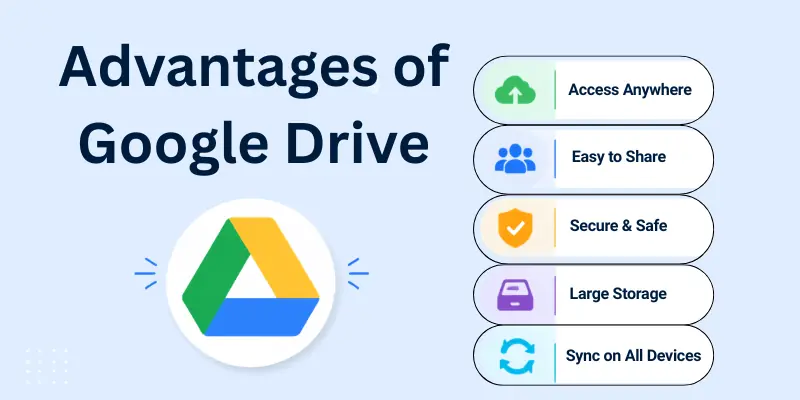
Here are some of the reasons that fuel my passion for this incredible tool:
- Easy File Storage
- Access from Anywhere
- File Sharing Made Simple
- Integration with Google Tools
- Automatic Backups
- Free Storage Plan
- Collaboration Features
- Search Functionality
- Secure Cloud Storage
- Offline Access
Let us cover all the pros of Google Drive.
1. Easy File Storage
Google Drive makes storing files so simple and stress-free. I always rely on it to keep my documents, photos, and videos organized. It feels great knowing all my files are in one place and easily accessible.
- Organize all types of files into folders and subfolders
- Save files without worrying about losing them
- Manage files easily with drag-and-drop functionality
2. Access from Anywhere
Google Drive allows you to access your files from anywhere in the world. I love how I can open my documents while travelling or switch between devices without losing track. It’s super convenient for people who move around a lot.
- Open files on any device—laptop, tablet, or phone
- Access files instantly as long as you’re online
- Work on projects even when you're away from home
3. File Sharing Made Simple
Sharing files with Google Drive is so easy that I use it almost daily. I love how quickly I can send files to my friends, family, or coworkers. It’s much better than emailing large attachments. You can share files in seconds without any hassle.
- Share links directly with others via email or chat
- Control permissions for viewing, editing, or commenting
- Collaborate without needing to send large attachments
4. Integration with Google Tools
Google Drive works perfectly with other Google tools like Docs, Sheets, and Slides. I use it all the time to create and edit documents for work. The best part is how everything syncs smoothly. You’ll find it so easy to complete tasks without switching between apps.
- Edit Google Docs, Sheets, and Slides without downloading them
- Link files to Gmail for easy attachments
- Use add-ons for productivity, like Google Calendar or Keep
5. Automatic Backups
Google Drive backs up all your files automatically, which gives me so much peace of mind. I never have to worry about forgetting to save changes or losing important work. It’s like having a safety net for all your data. You can trust it to keep your files secure.
- Automatically save changes as you work
- Sync files from your device to the cloud in real-time
- Restore accidentally deleted files from the trash folder
6. Free Storage Plan
I started using Google Drive because of its free storage plan, and it’s been a great experience. You get 15 GB of free space, which is perfect for personal use. It’s amazing to have so much storage without paying anything.
- Store thousands of small files without paying
- Upgrade to a larger plan only when needed
- Use it for personal or light professional tasks
7. Collaboration Features
Google Drive makes teamwork so easy. I often work with my friends on projects, and we can all edit the same document at the same time. It feels great to see everyone’s changes instantly without any confusion. You’ll love how smooth it is to collaborate with others.
- Multiple people can edit the same file in real-time
- Add comments and suggestions to improve teamwork
- See who made changes and track edits easily

8. Search Functionality
Finding files on Google Drive is super fast and simple. I use the search bar to locate my documents in seconds, even when I don’t remember the exact file name. It saves so much time and effort. You’ll never feel frustrated trying to search for important files.
- Use keywords to search for files quickly
- Filter results by file type, owner, or date
- Find shared files without scrolling through folders
9. Secure Cloud Storage
Google Drive keeps your files safe and secure. I trust it because it uses strong encryption to protect my data. Knowing that my files are stored safely gives me peace of mind. You don’t have to worry about losing files or unauthorized access.
- Files are encrypted for extra protection
- Access your files securely with your Google account
- Recover deleted files from the trash for up to 30 days
10. Offline Access
You can use Google Drive even without the internet, which is a lifesaver for me when I’m travelling or in places with no Wi-Fi. I can open and edit my files offline, and they sync automatically when I reconnect. It’s like having your files with you all the time.
- Open and view files without internet access
- Edit documents offline, and they sync later
- Perfect for working while travelling or during outages

Disadvantages of Google Drive
Sometimes, some reasons make my heart sink, and these features of Google Drive can be frustrating.
- Limited Free Storage
- Paid Plans Can Be Costly
- Internet Dependent
- Privacy Concerns
- File Size Limits
- Syncing Issues
- Account Risks
- Limited Customization
- Editing Can Be Slow
- Not Ideal for All File Types
Let us examine the cons of Google Drive.
1. Limited Free Storage
Google Drive gives you 15 GB of free storage, which feels like a lot at first. But once I started saving photos, videos, and documents, I noticed how quickly the storage filled up. It can be disappointing when you suddenly run out of space and have to decide what to delete or whether to upgrade to a paid plan.
- 15 GB is shared across Drive, Gmail, and Google Photos
- Large files or frequent uploads can exhaust free storage
- Deleting old files or upgrading becomes necessary
2. Paid Plans Can Be Costly
While extra storage is available, the cost of Google Drive’s paid plans might not suit everyone. I remember feeling unsure about spending money just to store files, especially when I wasn’t using it daily. Paying monthly or yearly for more space may not feel like the best option for casual users.
- Basic plans start at $1.99 per month for 100 GB
- Larger plans can cost significantly more
- Subscription costs add up over time, especially for heavy users
3. Internet Dependent
Google Drive works wonderfully when you have a reliable internet connection. But I’ve faced moments of frustration when travelling or working in areas with poor Wi-Fi. You realize how much it depends on the internet, which can limit your ability to upload, download, or share files when offline.
- Requires a stable connection for most features
- Uploading or downloading can fail with weak internet
- Offline mode only works for pre-synced files
4. Privacy Concerns
When it comes to storing personal data, privacy is always a concern. Google Drive’s policies sometimes make users wonder how safe their files are. I often hesitate to upload sensitive documents because it’s unclear how much control Google has over them. It’s something that might make you think twice.
- Files can be scanned for policy compliance
- Concerns exist about how user data is handled
- Possible exposure of sensitive files during security breaches
5. File Size Limits
Google Drive allows you to upload large files, but there are still limits that may frustrate you. I once tried uploading a big video for a project, and it didn’t work because it was too large. This can be inconvenient if you work with massive files regularly.
- Maximum upload size is 5 TB for paid users
- Free users face stricter size restrictions
- Large files may fail to upload due to these limits
6. Syncing Issues
Google Drive’s syncing features are helpful but not perfect. I’ve experienced delays and even missing updates when working on files across devices. It can feel disappointing when changes you made on one device don’t appear on another right away.
- Syncing can lag, especially with large uploads
- Offline changes may take time to sync after reconnecting
- Some files may fail to sync entirely due to errors
7. Account Risks
Losing access to your Google account can feel like losing a part of your digital life. I’ve had moments of panic thinking about how much is tied to one account.
If your account gets hacked or locked, all your important files may become inaccessible, leaving you stressed and helpless.
- Losing account access means losing files
- Recovery processes can take time and effort
- Hacked accounts may expose your sensitive files
8. Limited Customization
Google Drive’s design is simple, but it doesn’t give you much control over how things look. I’ve often wished I could personalize my folders or change the layout to make them more user-friendly for my needs. If you like customizing tools to suit your style, you might feel restricted.
- Limited options for changing file and folder layouts
- Few ways to personalize the interface
- Not ideal for users who prefer a highly customized workspace
9. Editing Can Be Slow
While Google Drive supports real-time editing, it’s not always fast. I’ve had instances where large files or collaboration caused the system to lag, making it harder to finish tasks quickly. It can be frustrating when you’re in a rush but have to wait for the system to catch up.
- Large files may load and edit slowly
- Collaboration in real-time can sometimes lag
- Editing offline doesn’t always sync smoothly later
10. Not Ideal for All File Types
Google Drive is great for many files, but it doesn’t support everything. I’ve had trouble opening less common file types, and it sometimes feels like extra work to convert or download tools to handle them. If you work with unique or specialized files, this can be a limitation.
- Some file types need additional tools to open
- Editing non-Google file formats is limited
- Compatibility issues may arise with rare formats
Conclusion
So, guys, it’s time to wrap up. In this article, we’ve covered the pros and cons of Google Drive in detail.
From my perspective, Google Drive offers a practical and easy solution for managing files in the cloud. Whether it’s for sharing, collaborating, or simply storing your personal documents, it stands out as a reliable tool. However, remember its limited free storage and dependence on the internet, which may not suit everyone.
Overall, I recommend Google Drive for students, professionals, or anyone who values convenience and teamwork. If you want to stay organized and work smarter, start exploring Google Drive today!!!
FAQs
Here are some of the most frequently asked questions related to the advantages and disadvantages of Google Drive:
Google Drive is a cloud storage service that lets you save files online. You can access them from any device with an internet connection. It also allows file sharing and teamwork.
Yes, Google Drive gives 15GB of free storage. If you need more space, you can buy a paid plan. Paid plans offer extra storage and features.
Google Drive keeps your files safe and accessible from anywhere. You can easily share and edit files with others. It also connects with Google apps like Docs, Sheets, and Slides.
Google Drive requires an internet connection for most features. The free storage limit may not be enough for some users. Also, storing private files online has some security risks.
Yes, you can enable offline access in settings. This lets you view and edit files without an internet connection. Changes will sync when you go online again.
- ✔ Be Respectful
- ✔ Stay Relevant
- ✔ Stay Positive
- ✔ True Feedback
- ✔ Encourage Discussion
- ❌ Avoid Spamming
- ❌ No Fake News
- ❌ Don't Copy-Paste
- ❌ No Personal Attacks