
How to Write a Guest Post That Gets Accepted: Key Tips
Hey, everyone. I know you’re already familiar with the concept of guest blogging. Now, picture this: you’ve contacted a website owner, and they invite you to be a guest poster.
But here’s the tricky part, how to write a guest post that stands out? No need to stress! I’m here to teach you some super helpful tips and tricks for making your guest post shine.
Let’s dive in together, and I’ll show you how to create a perfect post.
How to Write Guest Post That Stands Out
Guys, As an experienced content and guest blog post writer, I will outline all the tips I typically follow when creating content.
These are the strategies you can use to write the best pitching content, either for your own site or for other sites.
- Choose the Right Website
- Understand the Target Audience
- Follow Submission Guidelines
- Research the Website’s Content
- Select a Unique Topic
- Craft a Catchy Headline
- Write a Compelling Introduction
- Organize with a Clear Structure
- Keep Paragraphs Brief
- Use Subheadings to Guide
- Utilize Bullet Points or Lists
- Include Keywords Naturally
- Maintain a Friendly Tone
- Use Active Voice
- Add Value with Every Sentence
- Avoid Over-Promoting Yourself
- Share Actionable Tips
- Reference Trustworthy Sources
- Edit Your Post Thoroughly
- Use Visuals to Enhance
- Include Internal Links
- Respect the Word Count
- Add a Clear Call to Action
- Ensure Your Post Is Original
- Submit Professionally
- Follow Up Kindly
- Engage with Readers’ Comments
- Build Rapport with Editors
- Promote Your Post
- Be Open to Feedback
- Collaborate in the Future
Let's cover all these 30+ methods of creating the best blog post.
1. Choose the Right Website
The first step in guest blogging is to find a website that fits your area of expertise. You want to choose a website that covers topics about what you know and can write about.
For example, if you write about marketing, you should target a website that talks about digital advertising, social media strategies, or branding. Posting on the wrong website won’t bring you the right audience.
2. Understand the Target Audience
After choosing the website, take some time to learn about its audience. What kind of people visit the site? What do they like to read about? Knowing this will help you write content that speaks directly to them. And there's no doubt that the best way to keep people interested is to make your material relevant to them.
3. Follow Submission Guidelines
Most websites have rules for submitting guest posts, such as word count, formatting, and style preferences. Always follow these guidelines closely.
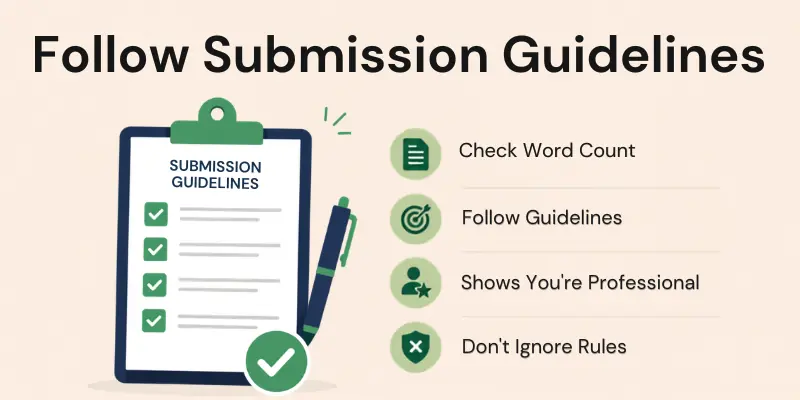
They show you what the website expects from guest contributors. If you don’t follow the rules, your post might get rejected, even if the content is great.
4. Research the Website’s Content
Before you start writing, take a look at the website’s existing articles. Pay attention to their tone, structure, and the kind of topics they cover. This will give you an idea of how to write in a way that matches the website’s style. You don’t want your post to feel out of place; it should fit in smoothly with the rest of their content.
5. Select a Unique Topic
It’s important to choose a topic that hasn’t been covered too many times before. Readers want fresh ideas or new angles on familiar subjects. To stand out, think of a topic that offers something different from the website’s existing articles.
6. Craft a Catchy Headline
The headline of your post is very important because it’s the first thing people see. A good headline grabs attention and makes people want to click on your article. It should be clear and promise something valuable to the reader.
7. Write a Compelling Introduction
Your introduction should grab the reader’s attention right away. Start with an interesting fact, a question, or a short story that relates to your topic. The introduction is where you set the tone for the rest of your post, so make sure it’s engaging.
8. Organize with a Clear Structure
A well-organized post is easy to read and understand. Divide your content into sections with clear headings. Each section should focus on one main idea. This structure helps readers follow your points without getting confused.
9. Keep Paragraphs Brief
Short paragraphs are easier to read. Break up long blocks of text into smaller chunks. Aim to keep each paragraph to about 2-4 sentences. This makes your post look less overwhelming and encourages readers to keep going.
10. Use Subheadings to Guide
Subheadings act as signposts for your readers. They help guide them through the article by showing what each section is about. Subheadings make it easier for readers to skim the post and find the parts they’re most interested in.

11. Utilize Bullet Points or Lists
Lists and bullet points make information easier to digest. They break up long paragraphs and highlight important points. Readers can quickly scan a list and absorb the key takeaways from your post.
12. Include Keywords Naturally
Keywords help your post get found online. Include important keywords related to your topic, but don’t overuse them. The keywords should fit naturally into your sentences. This helps search engines understand your post.
13. Maintain a Friendly Tone
Write as if you’re having a friendly conversation with the reader. Use simple language and avoid being too formal. A casual, friendly tone helps readers feel more comfortable and connected to your writing. It also makes the content more enjoyable to read.
14. Use Active Voice
Always write in active voice, not passive voice. Active voice makes your writing clearer and more direct. For example, instead of writing “The post was written by me,” write “I wrote the post”.
15. Add Value with Every Sentence
Each sentence in your post should provide useful information or insights. Avoid adding fluff or unnecessary details. Readers appreciate content that gets straight to the point and offers them something they can take away. Always ask yourself, “What value does this sentence add?”.

16. Avoid Over-Promoting Yourself
While it’s okay to include a link to your website or bio, don’t turn your post into a sales pitch. Focus on delivering helpful content rather than promoting your services or products. Over-promotion can turn readers off and make your post feel less authentic.
17. Share Actionable Tips
Give readers tips they can actually use. Practical advice is one of the best ways to add value to your guest post. Whether it’s step-by-step instructions or real-world examples, actionable tips help readers put your ideas into practice.
18. Reference Trustworthy Sources
Link to reliable sources when you make a claim or share data. Citing trustworthy websites or research adds credibility to your post. It shows that you’ve done your homework and helps build trust with your readers.
19. Edit Your Post Thoroughly
Don’t hit submit without editing your post. Check for grammar mistakes, typos, and clarity. A well-edited post looks more professional and is easier to read. Take your time to polish your writing before sending it off.
20. Use Visuals to Enhance
Images, charts, and infographics can make your post more engaging. Visuals help explain complex ideas in a simple way and break up long text. Just make sure the visuals you use are relevant to your content.
[related:4]]
21. Include Internal Links
Link to other articles on the website you’re guest posting for. Internal links help improve the website’s SEO and encourage readers to explore more content. It’s also a good way to show that you’ve done your research on the site.
22. Respect the Word Count
Stick to the word count provided in the submission guidelines. Writing too much or too little can lead to your post being rejected. Following the word limit also shows that you’re professional and can follow directions.
23. Add a Clear Call to Action
At the end of your post, encourage readers to take some kind of action. Whether it’s leaving a comment, sharing the post, or subscribing to a newsletter, a call to action (CTA) invites readers to engage with your content.
24. Ensure Your Post Is Original
Your guest post should be unique and not published anywhere else. Websites don’t want duplicate content, and search engines penalize it. Make sure your post offers fresh ideas that haven’t been covered before.
25. Submit Professionally
When you send your guest post, write a professional email. Introduce yourself, mention the topic of your post, and thank the editor for the opportunity. A polite and clear email makes a good impression.
26. Follow Up Kindly
If you haven’t heard back after submitting your post, it’s okay to send a polite follow-up email. Sometimes, emails get missed, and a gentle reminder shows that you’re still interested. Be patient and respectful.
27. Engage with Readers’ Comments
After your post is published, check for comments from readers and respond to them. Engaging with readers shows that you care about their feedback and are willing to help. It also builds a connection with your audience.
28. Build Rapport with Editors
When working with editors, be polite and professional. Building a good relationship with the editor can open doors to future guest blogging opportunities.
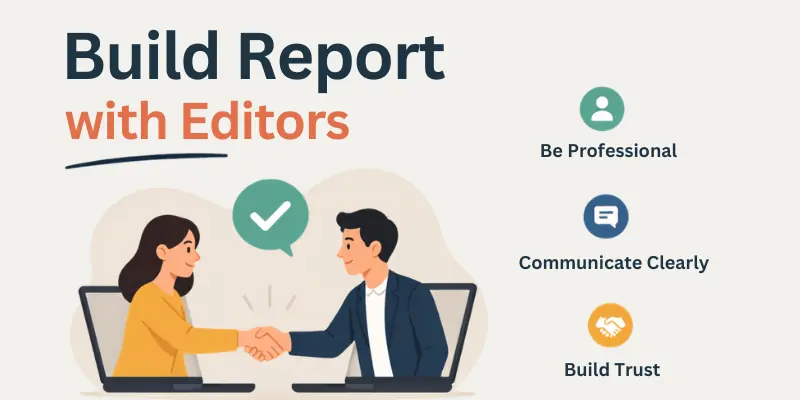
It also makes the process smoother.
29. Promote Your Post
Once your guest post is live, share it on your social media platforms. Promoting your post helps it reach a wider audience and shows the website owner that you’re invested in its success.
30. Be Open to Feedback
If the editor suggests changes or gives feedback, accept it with an open mind. Constructive criticism can help you improve your writing and create better content in the future. And this is the key to success.
31. Collaborate in the Future
Once you’ve successfully published a guest post, explore more opportunities to collaborate with the website. Building long-term relationships can lead to more guest posting chances and grow your network.
Conclusion
In this article, we’ve covered all the crucial aspects of writing the best guest post. I’ve shared the strategies I use regularly in my own guest posting efforts. If you feel I’ve left out something, let me know in the comments.
If you want to learn more about content writing, be sure to join our comprehensive content writing course. But if you’re only interested in mastering guest posting, then our guest blogging course will suit you well. dgaps.com always puts its users' needs first!
FAQs
Here are some of the most frequently asked questions related to the guest blog post:
Find websites that focus on topics in your field. Ensure they accept guest posts and that their content matches what you plan to write. A website with a similar tone to yours will help your post blend in better.
Start with a friendly introduction, mention why you're interested in writing for their site, and suggest a few relevant topics. Highlight your expertise and link to samples of your work. Keep it brief, professional, and suited to their audience.
Review the site's articles and browse the comment sections to identify popular topics. You can also observe which posts receive the most engagement, such as likes or shares, to understand what appeals to the audience.
Make sure to follow the guidelines carefully to avoid rejection. If something is unclear, contact the site owner for clarification. This shows professionalism and attention to detail.
Check the website's current articles to avoid repeating common topics. You can also add a unique twist to a familiar subject or offer a new perspective to make your post stand out.
Create a headline that clearly conveys the value of your post while catching attention. Use strong, impactful words that promise a solution or offer a fresh perspective, and try out different versions to see what works best.
Focus on providing valuable content rather than self-promotion. Leave any promotion for your author bio, and ensure the post is genuinely helpful, not just a sales pitch.
Research keywords that fit naturally into your content without overloading the post. Use them in places like your headline, subheadings, and body text, but focus on readability and flow.
Be open to feedback and willing to make any necessary adjustments. Editors often suggest changes to improve clarity or fit with their site’s style, so view it as an opportunity to learn and improve.
Don’t get discouraged; sometimes engagement takes time. Promote your post on your social media channels and interact with readers if they leave comments to help boost visibility.
- ✔ Be Respectful
- ✔ Stay Relevant
- ✔ Stay Positive
- ✔ True Feedback
- ✔ Encourage Discussion
- ❌ Avoid Spamming
- ❌ No Fake News
- ❌ Don't Copy-Paste
- ❌ No Personal Attacks