
Transfer Playlists Fast And Keep Your Music Organized
In a world where our musical tastes are constantly evolving, keeping playlists organized across multiple platforms can feel challenging. Whether we are switching streaming services or consolidating our favorite tracks, it is important to do it efficiently.
In this article, you will learn how to transfer playlists quickly between devices and platforms, keeping your music curated, accessible, and perfectly organized.
Understanding Playlist Transfer Needs
To kick things off, we need to clarify why transferring playlists is crucial for us. As music lovers, we often find ourselves moving between different streaming platforms, whether due to better features, exclusive releases, or simply a desire for a fresh start. Understanding our specific needs helps us tailor the transfer process effectively.
- Platform Compatibility: Not all platforms support the same file types or offer the same features. We must identify where we are transferring from and to, ensuring compatibility.
- Playlist Size and Complexity: Some playlists may contain hundreds of songs, while others might just have a handful. Knowing which playlists we need to transfer can streamline the process.
- Metadata Importance: Keeping track of song details like artist names, album information, and play counts is crucial for maintaining the essence of our playlists. We should prioritize transferring this metadata wherever possible.
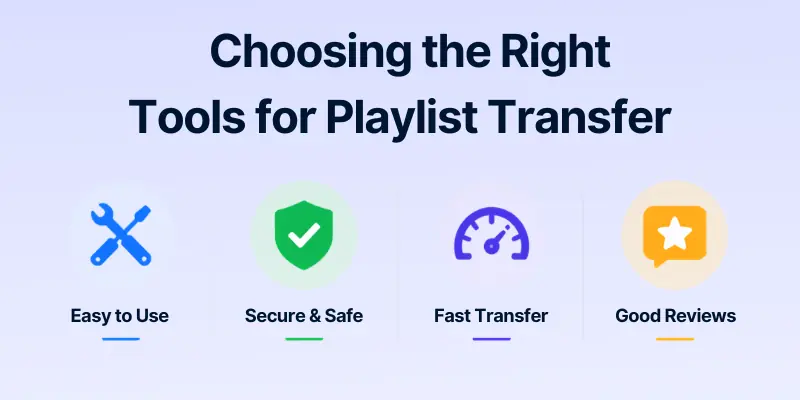
Choosing The Right Tools For Playlist Transfer
With our transfer needs defined, the next step is selecting the right tools. Thankfully, there are numerous applications and services available designed to assist with playlist transfers. Here are a few we might consider:
- SongShift: Ideal for iOS users, this app simplifies the process by allowing us to connect to multiple streaming services simultaneously.
- TuneMyMusic: A versatile choice that works for both web browsers and mobile devices, this tool can handle large playlists and even entire music libraries.
- Soundiiz: This web-based application supports a wide range of platforms, making it a great option for transferring playlists with ease.
- MusConv: This desktop application allows us to transfer playlists between various streaming services hassle-free, making it an excellent choice for those who prefer a quicker method.
When selecting our tool, we should consider factors like user-friendliness, supported platforms, and any associated costs.
How to Transfer Playlists Across All Devices
Music is no longer confined to one device. We often use multiple devices, phones, tablets, and computers. Transferring playlists across all of them ensures our music stays organized and accessible wherever we go.
Here’s a detailed guide for each device.
Devices covered:
- iPhone
- iPad
- Android smartphone
- Android tablet
- Windows PC
- Mac computer
1. iPhone
Steps to transfer playlists on iPhone:
- Install a playlist transfer app such as SongShift or TuneMyMusic.
- Open the app and log in to your music accounts (Spotify, Apple Music, etc.).
- Select the playlist you want to transfer.
- Choose the destination music service.
- Start the transfer and wait for confirmation.
- Verify all songs and metadata are correct on the destination service.
2. iPad
Steps to transfer playlists on iPad:
- Install the same app you use on iPhone.
- Log in to your music accounts on the iPad.
- Select the playlist from the source device or account.
- Choose the destination service.
- Begin the transfer.
- Check that all songs and metadata are correctly transferred.
3. Android Smartphone
Steps to transfer playlists on Android smartphones:
- Install a compatible app like TuneMyMusic or Soundiiz from Google Play.
- Open the app and connect to your music accounts.
- Select the playlist you want to move.
- Pick the destination music service.
- Start the transfer process.
- Verify that all tracks and metadata appear correctly on the new platform.
4. Android Tablet
Steps to transfer playlists on Android tablets:
- Download a compatible playlist transfer app.
- Log in to your music accounts on the tablet.
- Select the playlist to transfer.
- Choose the destination service.
- Initiate the transfer.
- Review the transferred playlist to ensure accuracy.
5. Windows PC
Steps to transfer playlists on Windows PC:
- Use web-based tools like Soundiiz or desktop apps like MusConv.
- Log in to your music accounts through the tool.
- Select the playlist you want to transfer.
- Choose the destination service.
- Start the transfer process.
- Confirm that all tracks and metadata have been transferred correctly.
6. Mac Computer
Steps to transfer playlists on Mac:
- Use desktop apps like MusConv or web tools like TuneMyMusic.
- Log in to your music accounts.
- Select the playlist to transfer.
- Choose the destination service.
- Start the transfer process.
- Verify that all songs and metadata are accurately transferred.
Cross-Platform Transfers (Optional Tip)
For transferring playlists between devices with different operating systems (e.g., iPhone → Android, Windows → Mac), web-based tools like FreeYourMusic , TuneMyMusic, or Soundiiz are the most reliable. They allow cloud syncing and avoid OS-specific restrictions, ensuring all your music and metadata are preserved.

Steps To Transfer Playlists Efficiently
Now that we have our tools in hand, let's outline the steps for transferring our playlists efficiently. Follow these guidelines to ensure a smooth transfer:
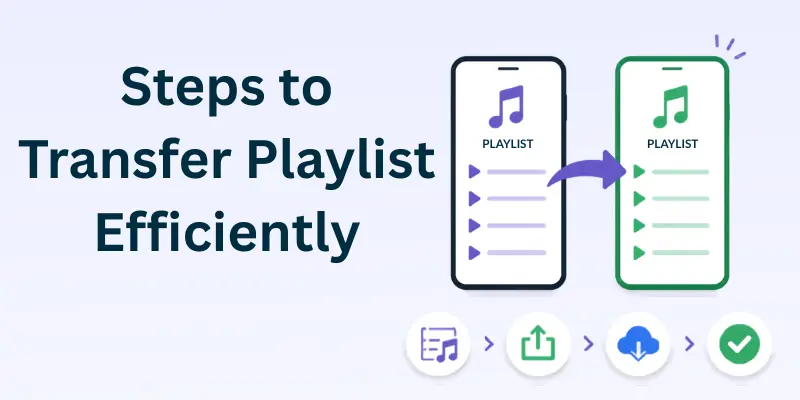
- Select Your Tool: Open the playlist transfer tool you've chosen and create an account if necessary.
- Connect Your Accounts: Authorize the app to access your music accounts, which typically involves logging in and granting permissions.
- Choose Source and Destination: Select the playlist you want to transfer and choose the destination service where you want to move it.
- Start the Transfer: Initiate the transfer process, making sure to double-check if all songs and metadata will be included.
- Review and Finalize: Once the transfer is complete, review your new playlist to ensure all tracks are included and accurately labelled.
By following these steps, we can significantly reduce the amount of time spent transferring playlists.

Tips For Keeping Your Music Organised
After transferring our playlists, it's essential to keep our music library organized. Here are some practical tips to help us maintain order:
- Categorize by Genre: Grouping music by genre allows us to find what we're in the mood for quickly. Creating specific folders can further streamline this process.
- Use Playlists Creatively: Rather than sticking to a single playlist format, we can create thematic playlists for occasions, moods, or special events. This not only keeps our library diverse but also offers endless listening options.
- Regular Maintenance: Just like any library, our music collection needs regular upkeep. We should schedule occasional reviews to remove songs we no longer listen to and add new tracks that excite us.
- Utilize Tags and Descriptions: Most platforms allow us to add tags or descriptions to our playlists. This feature can aid us in better locating music and reminds us of why we created certain playlists.
Managing Your Music Library Long-Term
Now that our playlists are transferred and organized, we must focus on long-term management. Here are strategies to ensure our music library thrives:
- Set Up Regular Backups: It's vital to keep copies of our playlists in case of account issues. Most tools offer options for exporting playlist data. We should take advantage of this feature periodically.
- Stay Updated: Platforms continuously evolve, adding features or changing their interfaces. Keeping abreast of updates can help us make the most of our music services.
- Engage with Music Communities: By joining online forums and communities, we can discover new music, engage with fellow enthusiasts, and find out what tools others are using to enhance their listening experience.
- Monitor Listening Habits: Many platforms provide insights into our listening habits. We should take note and tweak our playlists accordingly to resonate with our current tastes.
Conclusion
To conclude, transferring playlists doesn't need to be a cumbersome process. By understanding our needs, choosing the right tools, and implementing effective strategies, we can transfer our playlists swiftly while keeping our music organized for the long haul.
With consistent management and a little creativity, our music library will not only reflect our dynamic tastes but also enhance our listening experience. Let's embrace these methods and make our musical journey seamless.
- ✔ Be Respectful
- ✔ Stay Relevant
- ✔ Stay Positive
- ✔ True Feedback
- ✔ Encourage Discussion
- ❌ Avoid Spamming
- ❌ No Fake News
- ❌ Don't Copy-Paste
- ❌ No Personal Attacks